AI Phone:Call&Voice Translator
- 4.6
- Rating
- 1.00M
- Installs
- Free
- Price
 Analysis by App-foxy
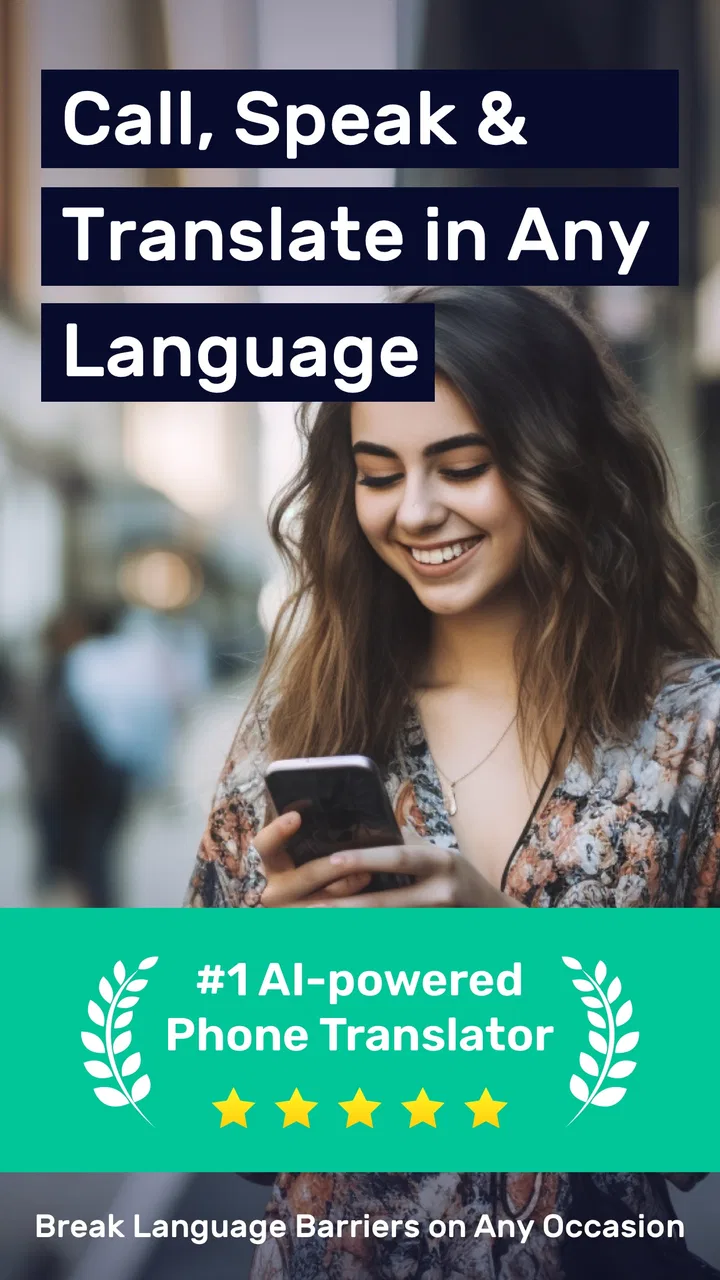
I noticed AI Phone:Call&Voice Translator because it tackles a problem that ordinary messaging apps do not solve very well: speaking with someone who does not share my language, without stopping the conversation every few seconds to copy text into a translator. It is a communication app from AI Phone Call, and its focus is voice translation for phone calls, video calls, WhatsApp, and other social apps.
My first impression was that the idea is more useful than it sounds on paper. Text translation is already familiar, but live conversation has a different rhythm. People interrupt, change topics, use short replies, and rely on tone. A tool that helps during that exchange can be genuinely valuable, especially when I need to arrange something quickly rather than write a carefully edited message.
The important question, though, is not whether the app feels impressive during the first call. Translation tools often win attention through novelty and then become forgotten after a few experiments. I looked at it from that longer perspective: who would keep opening it, what makes it worth maintaining, and where the experience becomes tiring enough to send me back to a normal phone call or a basic text translator.
You May Also Like

 Blood Strike: 2.5 Anniversary
Blood Strike’s Loadouts Turn Every Drop Into a Tactical Gamble
A close look at Blood Strike’s custom loadouts: how fast access to signature weapons reshapes its battle royale rhythm, rewards preparation, and narrows the gap between fights.

 Pandora - Music & Podcasts
Pandora’s Music Is Easy to Start, but Harder to Recover
Pandora’s strength is its low-effort path from a seed to a station. Its weak spot is how much confidence it asks you to place in connection, setup, and quiet recovery.

 8 Ball Pool
 Is Built on Rivalries, Rematches, and Routine
A close look at the rivalries, rematches, shared routines, and unanswered safety questions that turn a quick pool match into a persistent mobile community.

 Samsung Music
’s Quiet Strength Is Playing What You Already Own
Its reach comes less from spectacle than from dependable access to a personal library. That simplicity is both the app’s strongest retention engine and its ceiling.

 AccuWeather: Weather Radar
AccuWeather Review: A Quick, Clear Forecast for Everyday Decisions
For everyday plans, the best forecast is the one you can understand quickly. AccuWeather makes rain timing, radar, and local conditions easy to act on, with a few trade-offs.

 Hill Climb Racing
Why Hill Climb Racing Still Turns Crashes Into One More Run
A tiny car, a bumpy hill and one more upgrade: Hill Climb Racing keeps resurfacing because its simple chaos makes every near-miss feel personal.
More From Our News Desk



From an impressive first call to a practical routine
The first-week appeal comes from how directly the app connects translation with communication. Instead of treating translation as a separate task, it places the language barrier inside the call itself. That difference matters when I am dealing with a travel question, a delivery issue, a service appointment, or a family conversation where typing would make the exchange feel unnecessarily formal.
I also like that the app is not limited to one narrow communication channel. Its store summary presents support for phone calls and video calls, along with WhatsApp and social apps. That makes it more relevant to real habits, because people rarely use only one way to communicate. A tool that works around the channels I already use has a better chance of becoming practical than one that asks me to move every conversation into an unfamiliar environment.
A realistic example is arranging a repair while abroad. I might know enough of the local language to explain the basic problem, but not enough to understand a technician’s questions about access, timing, or parts. In that situation, a translated call can be more useful than sending a long series of messages. I can respond immediately, ask for clarification, and keep the conversation moving instead of waiting for both sides to compose perfect sentences.
That convenience has a limit: translation is still an interpretation, not a mind reader. Short, clear sentences are easier for any voice system to handle than jokes, slang, overlapping speech, or a long explanation delivered in one breath. My best results came from treating the app as a conversation aid rather than as an invisible professional interpreter.
One practical habit makes a noticeable difference. Before starting an important call, I would prepare the key names, addresses, numbers, and questions in a note. Proper names and technical terms are exactly where a translated conversation can become confusing. Having those details ready lets me repeat them slowly or switch to text when precision matters, rather than trusting the app to recognize every unusual word on the first attempt.
The app is free to install, which makes that first experiment easy. It is rated for Everyone, so it is positioned as a broadly accessible communication tool rather than something aimed at a specialist audience. Its average rating is 4.5 from around 73 thousand ratings, and that level of public response suggests that the basic concept is connecting with many users.
Still, I would not treat the rating as a guarantee that every call will feel effortless. Voice translation depends on the speakers, the language pair, the surroundings, and the quality of the conversation. A quiet, structured exchange is a very different test from a noisy group call with people talking over one another. The app is most convincing when I give it the kind of audio and pacing that translation systems can reasonably process.
Where it beats the usual alternatives
The usual alternative is a text translator used beside a phone call. That method is flexible, but it creates friction: one person speaks, someone pauses to type or dictate, the translation is read, and then the conversation restarts. AI Phone Call is more appealing when the goal is a flowing exchange rather than a series of isolated translations.
It can also be more convenient than asking a bilingual friend to mediate every small interaction. A friend may be better for sensitive, legal, medical, or highly technical conversations, but that is not always realistic for a simple booking or a quick question. The app fills the middle ground between handling everything alone and involving another person.
On the other hand, a standard text translator remains the better choice when I need a written record, exact spelling, or careful editing. Text gives me time to inspect the wording before sending it. A voice call is faster, but it can be harder to verify what was understood. I would choose the app for speed and interaction, not for documents or situations where every term must be exact.
Video calls add another useful possibility because facial expressions and gestures can support the translated words. That does not remove language mistakes, but it can help both participants notice confusion sooner. For casual conversations, that extra visual context may make the experience feel more natural than audio alone.
There is also a trade-off in using translation through social apps. Keeping communication close to the platforms I already know can reduce the effort of persuading someone to install a separate service. Yet the more complicated the call setup becomes, the more important it is to test the workflow before relying on it for an urgent conversation. I would not discover the process for the first time while trying to solve a time-sensitive problem.
What remains useful after the novelty fades
Month-to-month value depends on whether language barriers appear regularly in my life. For frequent travelers, international families, remote workers, hosts, and people who communicate with customers or suppliers across languages, the app has a clear recurring role. It can become a familiar tool for a handful of repeated situations rather than a novelty opened once for amusement.
For everyone else, the value is more occasional. I might use it during a trip, for a conversation with a new contact, or when a local service cannot communicate comfortably in my language. That does not make it useless, but it means the app has to earn its place through readiness. If I only need translation once every few months, I may prefer to keep it available without making it part of my daily routine.
The strongest long-term workflow is to use it for conversations that are too dynamic for text but not so sensitive that a small translation error could cause serious harm. Planning a meeting, asking for directions, discussing a simple purchase, or checking practical arrangements fits that middle ground. The app becomes less suitable as the consequences of misunderstanding increase.
I would also use it as a bridge, not as the only communication method. After a translated call, sending a short written confirmation of the important details can prevent mistakes about times, locations, quantities, or names. This two-step approach may sound slower, but it is often faster than repairing a misunderstanding later. The voice conversation handles the human exchange; the written follow-up locks down the facts.
That is one of the less obvious strengths of the app: it can reduce the social awkwardness of beginning a conversation across a language gap. A person may be willing to talk when typing feels difficult or embarrassing. The app does not replace patience, but it can lower the barrier to making the first call.
Another useful approach is to keep the conversation structured. I would ask one question at a time, pause for the response, and repeat the key answer in simple language. This is not a limitation unique to this app, but it changes how well the tool feels in practice. Users who expect a normal rapid-fire call may become frustrated; users who adapt their rhythm can get much more value from the same translation feature.
The commercial model also affects long-term judgment. The app is free, with in-app purchases ranging from $2.99 to $99.99 per item. That broad range means I would pay close attention to what I actually need before committing to anything. Occasional users may find the free starting point sufficient for trying the workflow, while frequent callers should consider the ongoing cost in relation to how often translation genuinely saves time.
I would not pay simply because the first translated conversation feels magical. I would first test the languages and call situations that matter to me, then decide whether the convenience is repeated often enough to justify a purchase. The right value calculation is not “Can it translate?” but “How much effort does it remove from my real conversations?”
Maintenance, setup, and the small chores that matter
Any communication app carries a maintenance burden, even when the main feature is straightforward. I would keep the app updated because translation quality and compatibility can depend on the current release. The present version is 3.25.0, and it requires Android 10 or later, so older devices may not be a fit. That requirement is easy to overlook when the app is being considered for a spare phone or an older family member’s device.
Maintenance also means remembering how the call workflow works before an important conversation. Because the app reaches across phone calls, video calls, WhatsApp, and social apps, I would spend a few minutes practicing with a cooperative contact. A test call can reveal whether the other person understands the translated exchange and whether the chosen channel feels comfortable.
That preparation is especially important for someone who is not technically confident. The idea is simple, but communication tools become stressful when the user is already under pressure. I would rather set up the language direction, explain the pauses to the other caller, and confirm the basic process in advance than try to troubleshoot while a service provider is waiting.
There is a second maintenance task that people often ignore: keeping expectations current. A translation app can help with ordinary conversation, but it should not encourage me to stop checking important information. For medical instructions, contracts, immigration matters, financial commitments, or safety-related directions, I would use a qualified human interpreter or an official written source whenever possible.
The app’s Everyone age rating makes it approachable for general use, but that does not mean every conversation is appropriate for automated translation. Age suitability and consequence suitability are different questions. A simple family call and a legal agreement may use the same phone, yet they require very different standards of accuracy.
I also found that the app is easier to maintain as a habit when I give it a clear job. If I think of it as “the app that translates everything,” I may hesitate every time a new situation appears. If I define its role as “the quickest way to start a practical conversation when language is blocking me,” the decision becomes simpler. Clear boundaries reduce both overuse and disappointment.
Where fatigue begins
The main source of fatigue is the gap between a smooth demonstration and a messy real conversation. People do not always wait their turn. They change direction, mumble, use local expressions, or assume the listener understands background context. When two people do that at once, translated calls can feel slower than expected, and both sides may need to repeat themselves.
That slowdown is not always a failure. Sometimes it encourages clearer communication, which can be useful. But if I am trying to solve an urgent problem, repeated pauses may become more frustrating than opening a text translator and writing the essential sentence. The app is strongest when both participants accept a slightly more deliberate rhythm.
Another fatigue point is the emotional effort of explaining the technology. The person on the other end may not know that the conversation is being translated or may interpret pauses as hesitation. I would tell them at the start that the app may need short breaks and that repeating a phrase slowly is helpful. That small explanation can prevent the call from feeling broken.
Voice translation can also be tiring in noisy places. Traffic, crowded rooms, poor microphone positioning, and multiple speakers all make the conversation harder to follow. If the call matters, I would move somewhere quiet and use a steady speaking pace. That may sound obvious, but it is one of the most important practical adjustments because no translation interface can fully compensate for unclear audio.
The app may not be the right choice for group conversations either. One-to-one exchanges are easier to control because I know who is speaking and can manage the pace. With several people, interruptions and changing voices increase the chance of confusion. For a group meeting, a human interpreter, captions, or a prepared written agenda may be more dependable.
There is also the fatigue of switching methods. If a translated call repeatedly requires moving to text, checking a phrase, or restating the same information, the original convenience can disappear. I would judge the app by the complete conversation, not by the quality of one translated sentence. A tool that produces good translations but adds too many interruptions may still be the wrong tool for a particular task.
Users who want a private, quiet, carefully controlled written exchange should probably choose a standard messaging translator instead. People who need professional accuracy should look for a qualified interpreter. And anyone who rarely encounters another language may find that installing and maintaining a dedicated app is unnecessary when a basic translation feature already covers their occasional needs.
My long-term verdict
After the first-week excitement, I think AI Phone:Call&Voice Translator earns lasting space for people who regularly cross language barriers in live conversations. Its lasting value comes from connecting translation with the channels people actually use, especially calls and social communication, rather than forcing every exchange into a separate text box.
It is not a replacement for human interpretation, and I would not use it as the final authority for high-stakes information. Its best role is practical and specific: help two people begin and sustain an everyday conversation when language would otherwise stop it. When I keep the sentences clear, prepare important details, and confirm essential facts afterward, the app becomes much more dependable.
The developer, AI Phone Call, has built something that is easy to understand but not completely effortless to use. The free entry point makes experimentation simple, while the in-app purchase range means frequent users should think carefully about recurring value rather than buying on impulse. With over one million installs, it has clearly reached a substantial audience, but popularity does not remove the need to match the tool to the right kind of conversation.
My recommendation is therefore conditional but positive. Install it if you travel, speak with relatives or contacts abroad, or regularly need to handle practical calls in another language. Test it before an important appointment, keep a written backup for critical details, and treat pauses as part of the process. If your needs are mostly documents, exact terminology, noisy group meetings, or sensitive professional discussions, another solution will serve you better.
The app earns a permanent place when it solves a recurring communication problem, not when it merely demonstrates a clever translation trick. For the right user, that recurring problem appears often enough to make the habit worthwhile. For everyone else, it remains a useful tool to keep ready for the day an ordinary phone call suddenly becomes a language challenge.
FAQs for AI Phone:Call&Voice Translator
01What is AI Phone: Call & Voice Translator and how does it work?
AI Phone: Call & Voice Translator is an app designed to facilitate seamless communication across different languages during phone calls. It uses advanced AI technology to translate spoken language in real-time, allowing users to converse naturally without language barriers. The app supports multiple languages and provides a user-friendly interface for easy operation.
02Is AI Phone: Call & Voice Translator secure to use for sensitive conversations?
Yes, the app prioritizes user privacy and employs encryption to ensure that conversations remain secure and confidential. It's essential to review their privacy policy to understand how your data is managed. However, always exercise caution when discussing sensitive information over any digital platform.
03How many languages does AI Phone: Call & Voice Translator support?
AI Phone: Call & Voice Translator supports a wide range of languages, making it a versatile tool for international communication. The exact number of languages can vary with updates, so it’s advisable to check the app’s current language offerings in the app store description or the app settings.
04Does AI Phone: Call & Voice Translator require an internet connection?
Yes, the app requires a stable internet connection to function effectively. Real-time translation relies on cloud-based AI services, so an active data or Wi-Fi connection is necessary to ensure smooth operation and accurate translations during calls.
05Are there any subscription fees for using AI Phone: Call & Voice Translator?
AI Phone: Call & Voice Translator may offer both free and premium versions. The free version might have limited features, while a subscription fee provides access to advanced functionalities like more languages or higher translation accuracy. It's best to review the app’s pricing details on the download page for specific information.
Pros
- Real-time translation during calls.
- Supports multiple languages seamlessly.
- User-friendly interface design.
- Minimal lag during voice translation.
- Enhances communication efficiency.
Cons
- Requires a stable internet connection.
- Limited free translation minutes.
- Subscription can be pricey.
- May struggle with complex phrases.
- Background noise affects accuracy.

AI Phone:Call&Voice Translator
Gallery